WhoWorked vs Toggl
Toggl Track records the hours your people work. WhoWorked records those, plus the hours your AI agents work, on the same timesheet.
WhoWorked vs Toggl in short
- Toggl Track records time worked by people. WhoWorked records time worked by people and by AI agents on the same timesheet.
- WhoWorked attributes each entry to a human or a named AI agent, and stores the model, token count and cost alongside it. Toggl Track has no equivalent field.
- Agents connect to WhoWorked over MCP or REST and write their own sessions. Toggl Track has no agent interface.
- WhoWorked reports AI-influenced hours and AI cost per client and project. Toggl Track reports human hours only.
Product screenshot
A look at Toggl Track's list view.
Published by Toggl Track in its public knowledge base.
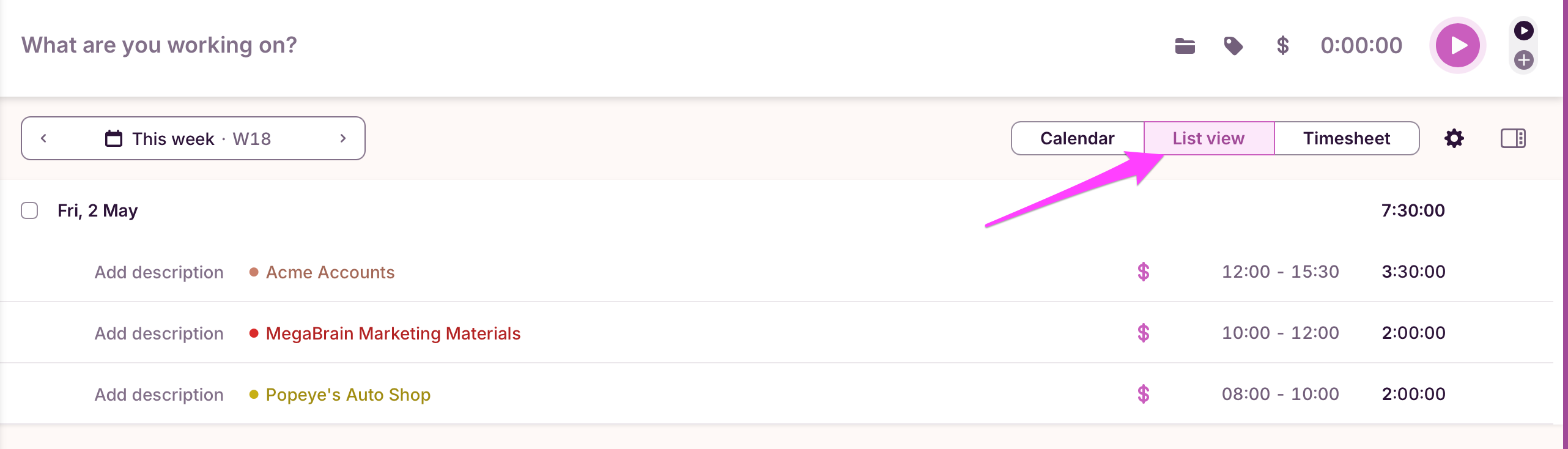
What Toggl records
Description, project, client, tags, billable status, and elapsed time.
What WhoWorked adds
Who delegated the work, what the agent ran, and what the sessions cost.
Screenshot source: Toggl Track knowledge base, accessed August 1, 2026. Product names and trademarks belong to their respective owners.
What is the difference between WhoWorked and Toggl?
Toggl Track is the best-designed timer in this category. One click starts it, the reporting is clean, and the mobile and desktop apps stay out of the way. For freelancers and small teams doing human work, it is a hard product to argue with.
What Toggl Track cannot do is account for work a person did not personally perform. Its model runs from a user to an entry to a project. When an agent spends forty minutes refactoring a client codebase, that time has no owner in Toggl: logging it against the engineer who prompted it overstates their hours, and leaving it out understates what the client received.
WhoWorked treats the agent as a first-class worker rather than a tool the human was using. Agents connect over MCP or REST and write their own sessions, each carrying model, tokens and cost, so a project total separates what people did from what agents did instead of blending the two.
When Toggl Track is the better choice
Choose Toggl Track if your work is entirely human, or if the timer itself is what you are optimising for. Its apps are excellent and it connects to more project management tools. WhoWorked is built for teams where agents already do a meaningful share of the delivery.
WhoWorked and Toggl feature comparison
| Feature | WhoWorked | Toggl |
|---|---|---|
| AI work record | ||
| Tracks time worked by AI agents | Yes | No |
| Human vs AI attribution on one entry | Yes | No |
| Tokens, cost and model per agent | Yes | No |
| AI-influenced hours and cost per client | Yes | No |
| Agents connect over MCP or REST | Yes | No |
| Unlimited agents on every plan | Yes | No |
| Time tracking | ||
| Manual time entries | Yes | Yes |
| Timer | Yes | Yes |
| Browser extension | Yes | Yes |
| CSV export | Yes | Yes |
| Clients and teams | ||
| Project tracking | Yes | Yes |
| Client tracking | Yes | Yes |
| Team workspace | Yes | Yes |
| Roles and permissions | Yes | Yes |
| Reports | ||
| Client reports | Yes | Yes |
| Team reports | Yes | Yes |
| Client disclosure exports | Yes | No |
| Integrations | ||
| Project management (Jira, Trello and similar) | Limited | Yes |
| CSV import | Yes | Yes |
| API access | Yes | Yes |
| Getting started | ||
| Free trial | 30 days | 30 days |
Toggl details above were read from the Toggl Track pricing page on August 12, 2026, and vendors change their plans without notice. WhoWorked pricing is on our pricing page. Product names and trademarks belong to their respective owners.
Toggl tracks the hours. The questions have moved on.
When a client asks how much of the work was AI, or procurement sends a disclosure clause, or someone requests an AI discount, a timesheet of human hours has nothing to say. WhoWorked keeps the answer on the record: the human and agent split, the model spend, and the evidence behind the invoice.
- Answer the AI question from the record, in one export.
- Defend the invoice with the work behind it, human and agent.
- See the margin with model spend already in it, before you quote.
Moving from Toggl Track
Export and upload your history
Export your time entries from Toggl Track as CSV, then upload the file to WhoWorked. It recognises Toggl Track export headers, so the columns map themselves.
Invite your team
Send your team a link. They track time against the same clients and projects, with a timer and manual entry that work the way Toggl does.
Connect your agents
Point your coding agents and assistants at the MCP endpoint. Their sessions land on the same timesheet as the human entries.
WhoWorked reads CSV exports from Toggl Track, Harvest and Clockify. Clockify also has a direct API connection that stays in sync; a direct Toggl Track connection is on the roadmap.
FAQ
Start counting all the work.
30-day free trial. Bring the time history you already have.