WhoWorked vs Harvest
Harvest records the hours your people work and bills for them. WhoWorked records the hours your people and your AI agents work, on the same timesheet.
WhoWorked vs Harvest in short
- Harvest records time worked by people. WhoWorked records time worked by people and by AI agents on the same timesheet.
- WhoWorked attributes each entry to a human or a named AI agent, and stores the model, token count and cost alongside it. Harvest has no equivalent field.
- Harvest covers expenses and reimbursements. WhoWorked covers the delivery record underneath the bill: who and what did the work, and what it cost.
- WhoWorked reports AI-influenced hours and AI cost per client and project. Harvest reports human hours only.
Product screenshot
A look at Harvest's timesheet.
Published by Harvest on its public time tracking page.
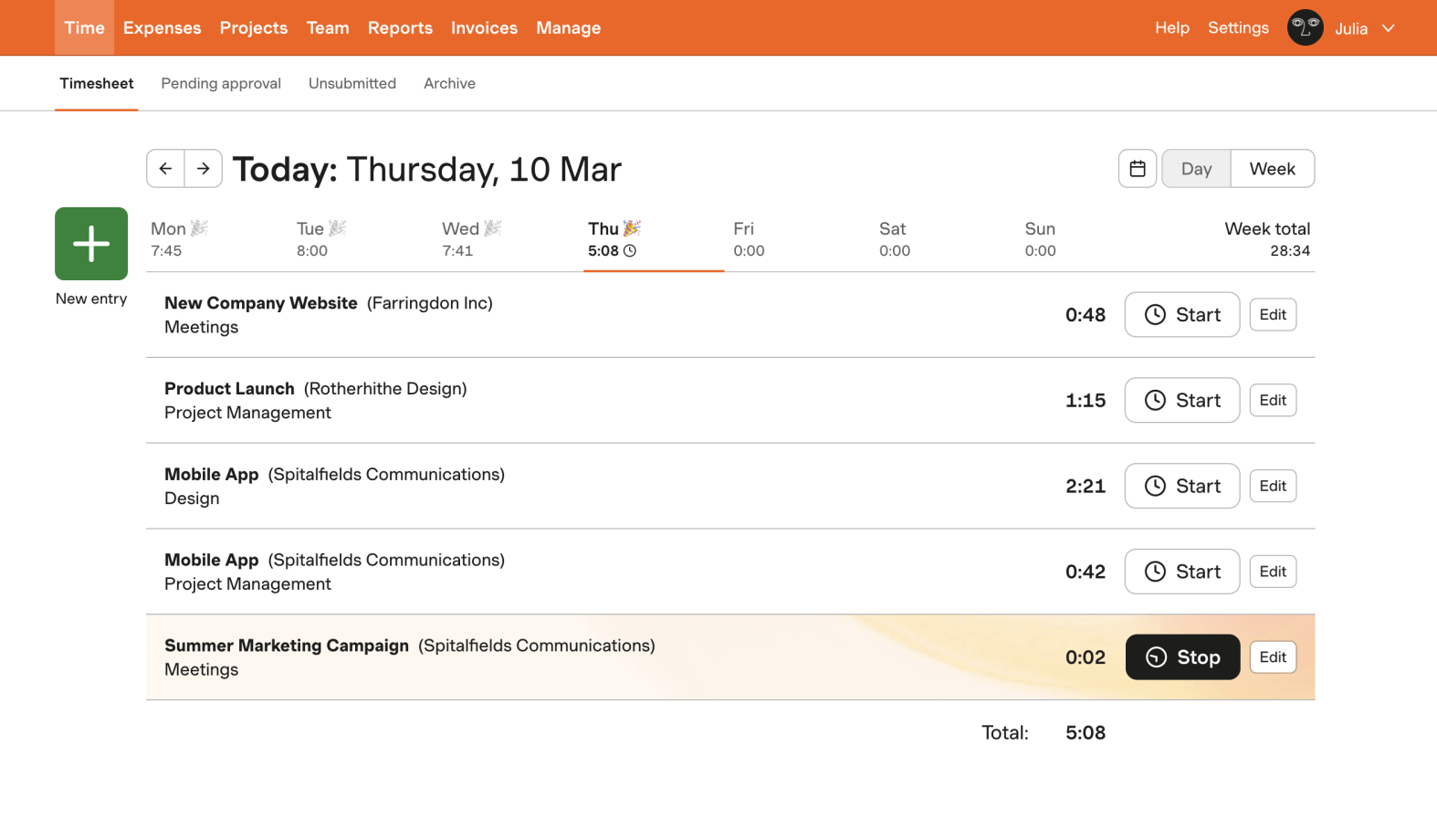
What Harvest records
Project, task, daily duration, weekly totals, and start and stop controls.
What WhoWorked adds
A defensible human-and-agent delivery record before the work reaches reports or invoices.
Screenshot source: Harvest time tracking page, accessed August 1, 2026. Product names and trademarks belong to their respective owners.
What is the difference between WhoWorked and Harvest?
Harvest is the most complete billing product in this comparison. Invoicing, expense tracking and project budgets are built in and genuinely good, and agencies that bill clients monthly get a lot from it.
Where Harvest stops is the same place the others do. Its timesheet is a record of what employees and contractors did. An agency now shipping a meaningful share of its delivery through AI agents cannot show that on a Harvest timesheet, which matters most at exactly the moment a client asks what they are paying for.
WhoWorked is built around the delivery record: human and agent hours, the AI line on every entry, model and token cost, and what each client cost to deliver. Teams that run both keep Harvest for expenses and use WhoWorked for the record of who and what actually did the work.
When Harvest is the better choice
Choose Harvest if your delivery is entirely human and expense tracking in the same tool as your timesheet is what you need. Nothing in WhoWorked will tell you which agent did the work, because there was no agent.
WhoWorked and Harvest feature comparison
| Feature | WhoWorked | Harvest |
|---|---|---|
| AI work record | ||
| Tracks time worked by AI agents | Yes | No |
| Human vs AI attribution on one entry | Yes | No |
| Tokens, cost and model per agent | Yes | No |
| AI-influenced hours and cost per client | Yes | No |
| Agents connect over MCP or REST | Yes | No |
| Unlimited agents on every plan | Yes | No |
| Time tracking | ||
| Manual time entries | Yes | Yes |
| Timer | Yes | Yes |
| Browser extension | Yes | Yes |
| CSV export | Yes | Yes |
| Clients and teams | ||
| Project tracking | Yes | Yes |
| Client tracking | Yes | Yes |
| Team workspace | Yes | Yes |
| Roles and permissions | Yes | Yes |
| Reports | ||
| Client reports | Yes | Yes |
| Team reports | Yes | Yes |
| Client disclosure exports | Yes | No |
| Integrations | ||
| Project management (Jira, Trello and similar) | Limited | Yes |
| CSV import | Yes | Yes |
| API access | Yes | Yes |
| Getting started | ||
| Free trial | 30 days | 30 days |
Harvest details above were read from the Harvest pricing page on August 12, 2026, and vendors change their plans without notice. WhoWorked pricing is on our pricing page. Product names and trademarks belong to their respective owners.
Harvest tracks the hours. The questions have moved on.
When a client asks how much of the work was AI, or procurement sends a disclosure clause, or someone requests an AI discount, a timesheet of human hours has nothing to say. WhoWorked keeps the answer on the record: the human and agent split, the model spend, and the evidence behind the invoice.
- Answer the AI question from the record, in one export.
- Defend the invoice with the work behind it, human and agent.
- See the margin with model spend already in it, before you quote.
Moving from Harvest
Decide what stays in Harvest
Teams coming from Harvest usually keep it for expenses, and use WhoWorked for the delivery record underneath it.
Export and upload your history
Export your time entries from Harvest as CSV, then upload the file to WhoWorked. It recognises Harvest export headers, so the columns map themselves.
Connect your agents
Point your coding agents and assistants at the MCP endpoint. Their sessions land on the same timesheet as the human entries.
WhoWorked reads CSV exports from Harvest, Toggl Track and Clockify. Clockify also has a direct API connection that stays in sync; a direct Harvest connection is on the roadmap.
FAQ
Start counting all the work.
30-day free trial. Bring the time history you already have.